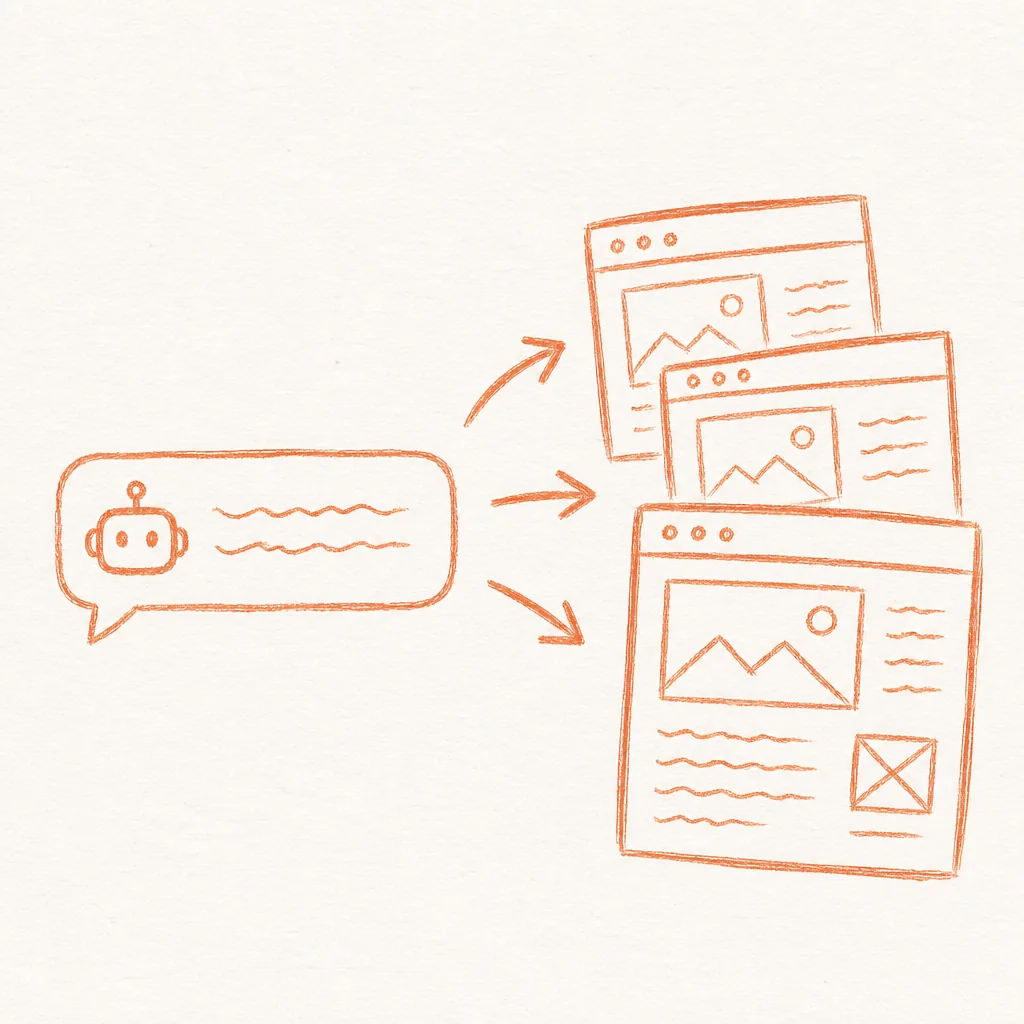
An AI website builder that costs nothing and requires no subscriptions is already possible with the tools available right now. We spent about $500 a year on Webflow for a site we barely changed. Every update meant logging in, finding the right page, waiting for the editor to load, clicking through elements, and publishing with a build delay. So we rebuilt it with static HTML files, generated by an AI agent, hosted on Cloudflare Pages' free tier. Hosting now costs us nothing. The AI agent and the domain are the only bills left.
This is about connecting your site to an AI agent so you can describe a change in a sentence and see it live, with no visual editor in between. The missing piece for most teams is the deployment pipeline that ties the agent to a live site, and that pipeline is what this guide sets up.
At Supernodes, we use exactly this pattern to manage our own site. Supernodes.ai is a folder of HTML files in a GitHub repository, and Cloudflare Pages deploys it on every push. If you are already using automation platforms like n8n, the same infrastructure mindset applies, and our guide to n8n templates for ad optimisation shows how connecting tools to automated pipelines removes manual overhead. A static site deployed via AI follows the same principle: replace repetitive manual steps with automated workflows. And if you are building agent systems, this pipeline fits naturally into the 10-layer AI agent stack as the tools and deployment layer.
The real cost of a website is the number of manual steps between having an idea and seeing it live. An AI-powered static site collapses that to a single prompt.
The real cost of paid website builders
Webflow, Wix and Squarespace sell you a visual editor. You pay monthly so you can drag elements around a canvas instead of writing HTML. That trade-off makes sense when your team includes non-technical designers. But if your team does text updates, landing pages, and campaign-specific content, the visual editor becomes overhead. A static site skips the database and the page builder. Cloudflare serves the same finished files from data centres in 348 cities, so nothing has to be assembled when a visitor arrives. We could not find an independent, current benchmark comparing load times across Webflow, WordPress and static hosts, so we do not quote one.
Cloudflare's Pages limits documentation sets the free plan at 500 builds a month, up to 20,000 files per site, 25 MiB per file and 100 custom domains per project. Cloudflare also does not charge for static asset requests. Our own site is about 570 files, well inside those limits. Compare that to a paid CMS at $20 to $50 per month, and the savings add up to roughly $720 to $1,800 over three years.
What is a free AI website builder, really?
A free AI website builder is a pipeline: an AI agent that writes HTML files, a Git repository that tracks changes, and a static host that serves those files globally. Each component is free on its own. Connected together, they form a website you can edit with natural language.
The AI agent does the building. It takes your instructions, generates the HTML, CSS, and JavaScript, and saves them as files on your machine. This works because current models understand HTML structure well enough to produce a working page in one pass. We use Claude Code for our own site. The agent does not need a database, a CMS, or a build tool. It just needs to be able to save files.
In practice: The agent creates an index.html at the root, a css/ directory with a style.css file, and an assets/ directory for images. Subsequent prompts update individual files. A prompt like "Change the hero heading to 'Build Smarter' and add a testimonials section below the features grid" produces a targeted edit to index.html in seconds. No logging into a CMS. No clicking through layers of UI.
Three accounts and one repository
Here is exactly what you need and how to set it up. You can use any AI agent that saves files locally: Claude Code, OpenAI's Codex, Cursor and GitHub Copilot all work.
Step 1: Feed your current site to an AI agent and let it rebuild locally
Open your AI agent of choice. The key requirement is that the agent can create and save files on your machine. Claude Code, Cursor and Codex all work on files in a local folder. The ChatGPT chat window on its own does not save files to your machine, so use Codex if you are on an OpenAI plan.
Give the agent your current website URL and this prompt:
"Analyse the page structure, every section, the images used, the copy and the tone of voice. Then recreate the entire site as a set of static HTML, CSS and image files on my desktop. Keep the design, layout, images, copy and tone identical. Save all files in a folder called my-site."
Expect a few rounds of feedback before the copy and layout match the original, and compare every page side by side with the live site before you switch. Once you are happy with the output, you should have a folder on your desktop with an index.html file, a css/ folder, an assets/ or images/ folder, and any additional pages.
Step 2: Put it in Git and push to GitHub
Open a terminal in your site folder and run the usual initialisation commands. If your agent supports GitHub authentication (Claude Code and Cursor both do), you can skip the terminal and ask the agent to handle it. Git becomes your CMS. Every version is tracked. Rollbacks are a single command. Branch-based previews replace staging environments.
There is a deeper pattern here that applies well beyond websites. The same composable pipeline, prompt, generate, push, deploy, is what we cover in our 10-layer AI agent stack guide, where tools and skills replace manual steps across the entire development lifecycle.
Step 3: Connect to Cloudflare Pages and deploy
Log in to dash.cloudflare.com. Following Cloudflare's Git integration guide, go to Workers & Pages, select Create application, then Pages, then Connect to Git. Select your repository, leave the build command blank because a plain HTML site has nothing to build, set the build output directory to the folder that holds index.html, and click Save and Deploy. Cloudflare gives you a live pages.dev URL once the first deployment finishes.
To use your own domain, go to the Custom Domains tab. SSL certificates are provisioned automatically. From this point forward, every push to GitHub triggers a new deployment. The same pipeline works whether you run a deep research agent for market analysis or a content site, since the deployment setup is identical.
One change since we set ours up: Cloudflare's Workers documentation now says "If you are starting a new project, use Workers instead of Pages." The same page says Pages continues to work, but new features go to Workers. Our site still runs on Pages and we have no reason to move it. For a brand-new site, the Workers route needs one small config file, wrangler.jsonc, at the root of the repository, with the HTML kept in a public/ folder:
{
  "name": "my-site",
  "compatibility_date": "2026-10-05",
  "assets": { "directory": "./public" }
}
A purely static site needs no Worker script. Cloudflare serves whatever is in the assets directory, and static asset requests are free on Workers just as they are on Pages.
Where the pattern compounds
Once this free AI website builder pipeline is in place, the applications multiply quickly.
E-commerce teams can attach a spreadsheet with their product catalogue and ask the agent to generate one page per product. Pricing updates become a CSV upload instead of a manual edit across hundreds of pages.
Sales and marketing teams can generate personalised landing pages for every prospect. Company name, industry, and role get pulled from a spreadsheet and rendered into a unique page on your domain.
Content teams can batch-generate pages from an editorial calendar, review them in a single pass, and publish the whole set in minutes.
Each of these examples follows the same pattern: data goes in, an AI agent generates the HTML, Git tracks the changes, and Cloudflare serves the result. The overhead between thought and published page shrinks to nearly zero.
Forms, images and search files still need an owner
A static site moves the usual CMS chores onto the pipeline itself, and a few of them need a decision before launch. Forms are the one most teams miss. Static files cannot process a submission on their own, so a contact or demo form points at a small form service that catches the submission and forwards it on, or at a worker script. Wire it up before launch day and send a test submission, because a form that silently fails costs more than one that was never added.
Images are the second decision. The agent writes HTML and CSS, and it does not take photographs. Existing brand assets move across as files, and anything new is either supplied by the team or licensed. Keep an assets folder the agent can reference, and give files descriptive names so writing alt text stays easy.
Search plumbing is the third. Sitemap.xml, robots.txt and meta descriptions all still exist in this world, and the agent maintains them like everything else. Set the standard early. Every new page gets a title, a description, and a line in the sitemap, and an agent that wrote the pages can also keep the sitemap honest. That is one more chore that quietly disappears.
None of these are difficult, and each takes minutes once. Analytics and consent snippets follow the same pattern. Add them to the shared header once, and every page inherits them. They are decisions, though, and on the old tools the platform made several of them for you.
This is text files, a deployment pipeline, and an AI agent that connects them. Any AI agent that can save files can do it, and the hosting is free.
What you lose and what you gain
Static sites do not have a visual editor. If your team includes non-technical members who rely on drag-and-drop layouts, set up a staging branch on GitHub and use Cloudflare's branch deployment feature for previews. You also give up built-in CMS features like user permissions and scheduled publishing. These can all be handled with lightweight tooling: GitHub for version control and access management, and a simple cron job for scheduled updates.
| You lose | You gain |
|---|---|
| Drag-and-drop visual editor | Edit any page with a single written prompt |
| Built-in user permissions | GitHub access controls, already familiar to most dev teams |
| Scheduled publishing UI | A simple cron job triggering a Git push |
| $20 to $50 a month CMS fee | Zero ongoing hosting cost |
| Pages assembled by the platform on each visit | The same finished files served from 348 cities |
For teams that launch landing pages, run campaigns and test copy every week, a written prompt is quicker to use than the editor it replaces.
Frequently asked questions about free AI website builders
Can I use an AI agent to build a website for free?
Partly. Claude Code, Codex and Cursor can build a complete website as static HTML files, but their free tiers are limited: Cursor's free plan has limited agent requests, and Claude Code needs a paid Claude plan. Hosting the finished site on Cloudflare's free plan costs nothing, and SSL certificates are issued automatically.
Is a free AI website builder really free?
The hosting is. GitHub and Cloudflare Pages cost nothing for a static site, and Cloudflare does not charge for static asset requests. The AI agent may not be free: Claude Code starts with Claude Pro at USD 17 a month billed annually, or USD 20 month to month. You also still pay for your domain.
How do I deploy an AI-generated static site for free?
You need three accounts: an AI agent, GitHub and Cloudflare. Push the site folder to a GitHub repository, then in Cloudflare go to Workers & Pages, select Create application, then Pages, then Connect to Git. Every later push redeploys the site, and SSL is automatic.
Is an AI website builder better than Webflow?
It is cheaper to run and quicker to edit if your team is happy to describe changes in writing. Hosting is free, and any page can be changed with a prompt. You give up Webflow's drag-and-drop editor, built-in user permissions and scheduled publishing.
What is the cheapest way to host an AI-generated website?
A static site on Cloudflare's free plan. Pages allows up to 20,000 files per site and 500 builds a month at no cost, and static asset requests are not charged.
Is Cloudflare Pages really free for a business marketing site in 2026?
Yes. Supernodes.ai runs on it. For new projects, Cloudflare now recommends Workers, because new features are going there. Pages continues to work, and static asset requests are free on both.