Here is a number that should make every marketing lead stop and read it twice. Marketing LTB's 2026 referral statistics roundup found that 83 percent of satisfied customers say they would refer your business, and only 29 percent actually do. The customers are willing already, so the gap is a systems problem.
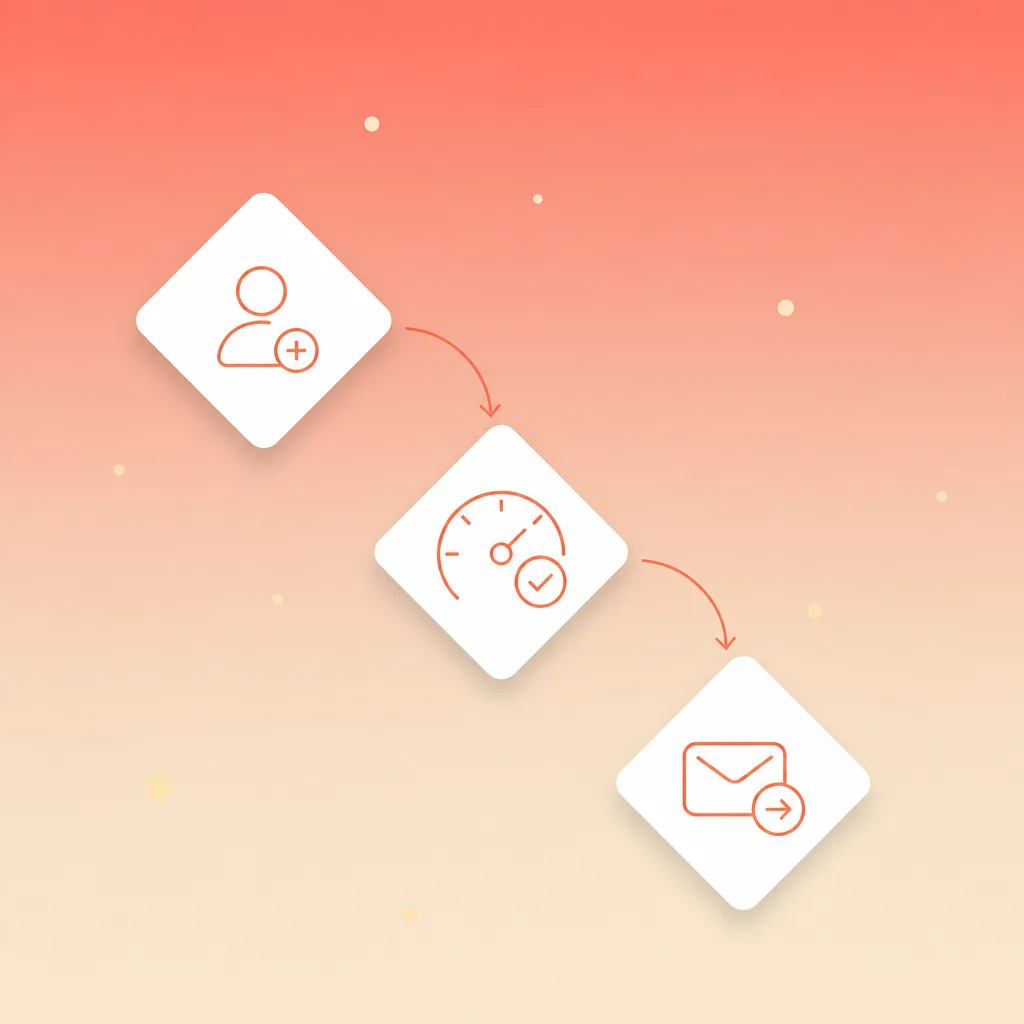
Referral program automation closes that gap. Typeform handles the capture step, Pipedrive handles the scoring, routing and reward steps, and both tools are probably already in your stack. This is the shape of workflow we build at Supernodes: the referral arrives as a form submission, picks up a fit score the moment it lands, routes to the person who owns the relationship with the referrer, and triggers a thank-you task before anyone opens their inbox. Set aside about 90 minutes and you can build the whole thing yourself.
Why referral programs stall in most businesses
Referrals are the highest-converting lead source most businesses have, and the most neglected. Typeform's own referral template page makes the point bluntly: people do want to refer. The bottleneck is that referring usually means writing a custom email, remembering details, or navigating a clunky portal. If the process is not dead simple, even your biggest advocates will not bother.
The second stall point is follow-up. A referred lead is warm for a short window. CustomerGauge sells account-level customer experience and referral-tracking software, and its own research found that 54 percent of B2B professionals run no formal referral program at all. Their guidance for the ones that do is blunt: hand leads to sales immediately, because referred leads go cold fast.
Then there is the tracking problem. Marketing LTB's data shows only 18 percent of B2B companies have fully automated their referral process, and 41 percent still track referrals manually, which is where the errors creep in. A referral arrives, someone forwards it, someone else loses the thread, and the referrer never hears what happened. Next time they do not bother.
Published benchmarks point the same way. ReferralCandy's State of ecommerce referral programs 2026 tracked 500 established Shopify stores over the twelve months to June 2026. A share-action rate, which measures how many of the people you prompt actually click a share button, of 4.64 percent was enough to reach the top quarter of programs, and the top 10 percent opened at 13.38 percent. That upper quarter also produced roughly 2.5 times the referral orders and revenue of a typical program.
That dataset comes from ecommerce stores, so treat the exact percentages as an ecommerce benchmark. The mechanic behind them carries across to B2B pipelines: programs that prompt customers at the right moment and respond quickly when someone shares are the ones that clear the bar.
What you need to build the referral flow
Keep the prerequisites light, because the whole point is that a marketing ops lead can build this in an afternoon.
- A Typeform account. The free plan covers the referral form. The form builder handles conditional logic, which you will use to tailor follow-ups by referral type.
- A Pipedrive account with at least one paid plan. Core routing works on every plan. If you want the automation webhook step, which lets you fire external actions on conditions, you need Advanced or higher, as Pipedrive's knowledge base explains.
- A Slack channel or email inbox where your team wants referral alerts to land.
- About 90 minutes, most of it in Typeform's template editor and Pipedrive's settings.
You do not need a developer, an API key, or a separate referral platform. The two tools you already run can carry the whole flow.
Step 1: Build a referral form that asks the right questions
Start from Typeform's client referral template rather than a blank canvas. It already has the structure, and the questions it asks are the ones that matter for qualification later.
The template captures six things, and each one earns its place:
- The referring client's name and contact details, so you can thank them and credit them later.
- The referred person's name, email and phone number, so the lead is actionable the second it arrives.
- How the two people know each other, which tells you the strength of the connection.
- Why the referrer thinks this person would benefit, which is your first qualification signal.
- Whether they have already spoken to the person about you, which separates a warm intro from a cold name.
- Whether they want their name mentioned in the outreach, which protects the referrer's relationship.
Keep the form short. Typeform's guidance is explicit: the referrer is doing you a favour, so the faster the form, the more referrals you get. One question per screen, no mandatory essay fields, and a thank-you screen that confirms what happens next.
Add conditional logic while you are in the editor. If the referrer picks "I have already spoken to them," you can show a follow-up question asking what the person said. If they pick "cold introduction," you skip it. This is the moment your form starts behaving like a qualification tool instead of a data collection tool.
Step 2: Score every referral the moment it lands
When a referral form submission arrives, it should not sit in a Typeform responses list waiting for a human to notice. It should land in Pipedrive as a deal, tagged as a referral, with the qualification signals already visible.
In Pipedrive, add custom fields to your deal form before you wire the integration:
- Referral source, with values like Customer, Partner, Employee, and Other.
- Referrer name, which you will use for crediting rewards.
- Warmth, with values like "Already spoken" or "Cold introduction."
- Fit score, which can start as a simple 1-10 rating you assign from the form answers.
Then connect Typeform to Pipedrive. Typeform ships integrations with 300-plus tools including Zapier, HubSpot and Slack, per their integrations documentation, so you can push submissions straight into a new deal. If you want the mapping to be cleaner, route Typeform to Pipedrive through Zapier or Make and map the form answers field by field, the way our B2B prospect follow-up workflow does it.
Here is where the scoring gets useful. A referral marked "Already spoken to them" plus a specific "why they would benefit" answer is a hot lead. A name dropped into the form with no context is a maybe. You can encode that distinction in the deal fields, or you can let an AI layer read the answers and assign the fit score. Both work; the important thing is that the score exists the moment the deal appears, because that is what decides the next step. It is the same principle we covered in our guide to AI lead scoring, just applied to a warmer source of leads.
Step 3: Route qualified referrals to the right owner
Pipedrive's automatic assignment feature is the routing half of the engine. Pipedrive's lead routing page describes it as routing new leads and deals to the right owner or team using custom assignment rules based on your sales cycle, with round-robin distribution or the existing organisation owner as the fallbacks.
For referrals specifically, you usually want the person who owns the relationship with the referrer. Set the rule so a referral deal routes to the account owner of the referrer's organisation when one exists, and falls back to round-robin when the referrer is a new name. That keeps the warm introduction inside the relationship that produced it, and the same routing logic carries through once a referral becomes a sales-qualified opportunity, which we cover in our MQL to SQL handoff walkthrough.
Now add the notification. Pipedrive's Automations can trigger when a deal is created, and one of the actions is a webhook request to an external endpoint or a direct Slack notification. Pipedrive's workflow automation page shows the Slack template that sends deal information to a channel the moment a deal appears. Set the trigger to fire only when the deal stage is "New Referral" and the fit score is above your threshold, so your team gets pinged for the good stuff and stays quiet for the noise.
Timing is the whole game here. SEOScaleUp's 2026 referral-marketing roundup reports that B2B referral leads convert at an 11 percent average rate versus 1.2 percent for affiliate marketing, and referred B2B leads close four times faster than cold outbound. Both figures are themselves relayed from other sites, so treat them as directional industry consensus rather than primary data. The speed advantage they describe evaporates when the lead sits for three days, and the routing step is what keeps the window open.
Step 4: Track the loop so referrers stay motivated
Referral programs fail when the referrer never hears what happened. The engine is not finished until the loop closes.
In Pipedrive, the deal itself is the tracking record. Keep the referral source and referrer name on the deal, and schedule a follow-up task the moment a referral deal is created: a thank-you message to the referrer within 24 hours, and a status update when the deal moves stage. That second touchpoint is the one most programs skip, and it is the one that makes the next referral happen.
Reward automation is where you can get fancy, but start simple. Referral Rock's B2B referral program guide recommends multi-step rewards: credit the referrer when the lead is qualified, and credit them again when the deal closes. For B2B sales cycles that stretch for months, a single reward at close is too far away to motivate anyone. The qualified-stage credit keeps the referrer engaged through the long cycle, and the close-stage credit makes the reward land when the value is proven.
Referral Rock also makes a case for dual-sided rewards, where the referred person gets something too. Their framing is that a dual-sided incentive turns the referral into a gift the referrer passes along, rather than a transaction where they sell out a relationship for a reward. That distinction shows up in the data as well: Marketing LTB's roundup reports that only 23 percent of referrals are primarily motivated by the reward, which means the majority refer because they genuinely want to share a good experience.
There is a compounding effect here that most programs miss. In the same ReferralCandy dataset, customers who arrived through a referral were 10.7 times more likely to become referrers themselves, so a working loop keeps widening the pool of people who can send the next one. CustomerGauge's State of B2B Account Experience research found the B2B version of the same idea: the 9 percent of businesses that tied referral marketing to their customer experience program reported 20 percent revenue growth and an 82 percent return on retention. ReferralCandy sells referral software and CustomerGauge sells customer experience software, so weigh both sets of numbers as vendor research. The direction of the finding holds across independent datasets, which is what makes it worth building for.
What referral program automation changes
Before the engine, a referral arrives in a shared inbox on a Tuesday, gets forwarded to someone on Thursday, and the referrer hears nothing until they ask. After the engine, the sequence is automatic: the form captures the context, the score decides the priority, the routing puts it on the right owner's desk, and the follow-up task makes sure the referrer is thanked and updated.
The business case stacks up quickly. A referral-ROI figure attributed to Wharton Business School and reported by SEOScaleUp's 2026 roundup puts referral program ROI at 10x for large businesses, 9.4x for medium and 8.6x for small. We could not trace this back to a Wharton publication directly, since SEOScaleUp cites it via a further aggregator, so treat the multiplier as directional rather than a verified Wharton number. Referred customers carry a 16 percent higher lifetime value and are four times more likely to buy, per Marketing LTB's roundup. Meanwhile Shopify, citing 2026 benchmarks from ecommerce developer Elogic Commerce, shows referral traffic converting at 2.5 to 3.5 percent against 0.5 to 1 percent for paid social. The table below lines these numbers up against the other channels the roundups compare them to.
| Channel | Conversion rate | Source |
|---|---|---|
| B2B referral | 11% average | SEOScaleUp roundup |
| Affiliate marketing (B2B) | 1.2% average | SEOScaleUp roundup |
| Referral (ecommerce) | 2.5% to 3.5% | Shopify, citing Elogic Commerce |
| Paid social (ecommerce) | 0.5% to 1% | Shopify, citing Elogic Commerce |
The work lives in deciding what a good referral looks like for your business, encoding that in the form and the score, and then getting out of the way. If you want the routing, scoring and reward automation wired up without spending your own afternoon on it, this is exactly the kind of workflow we build at Supernodes. Speak with us and we can have the foundation live in two weeks.
Frequently asked questions
Why do most referral programs fail to produce leads?
Most programs launch once and fade because the referral itself lands in a shared inbox or a spreadsheet. Typeform's guidance notes that without a dedicated form, referrals arrive through scattered channels and many get lost before they are acted on. A structured capture step is what turns goodwill into pipeline.
What questions should a referral form ask?
Keep it short. The referrer's name and contact details, the referred person's name and email, their relationship, why they think it is a good fit, and whether they want their name mentioned in the outreach. Typeform's client referral template has these exact questions ready to use.
How fast should you follow up on a referral?
Within 24 to 48 hours. Reach out quickly, mention who referred them with permission, and personalise the message based on the context the referrer provided. Then thank the referrer and update them on progress.
Does this workflow need Pipedrive's Advanced plan?
The core flow works on any Pipedrive plan. Webhook actions inside Automations, which give you conditional event-triggered connections, require Advanced or higher, so check your plan when you set up the routing step.
Should you reward the referrer, the referred person, or both?
Both, usually. Dual-sided rewards reframe the referral as a gift to the friend rather than a transaction for the referrer, and multi-step rewards keep referrers engaged through long sales cycles: credit at the qualified stage and credit again at close.
How long does it take to set up a referral engine?
About 90 minutes for the Typeform and Pipedrive pieces. If you want the routing and reward automation wired up for you, a Supernodes pilot can have the foundation live in two weeks.